
Applying Column & Row level filters

In Eightwire there are several options to restrict the data that is available in a shared datastore without changing the source data structure.

Datastore options: Row level filters

Browse a Datastore to view an object to apply row level filters.
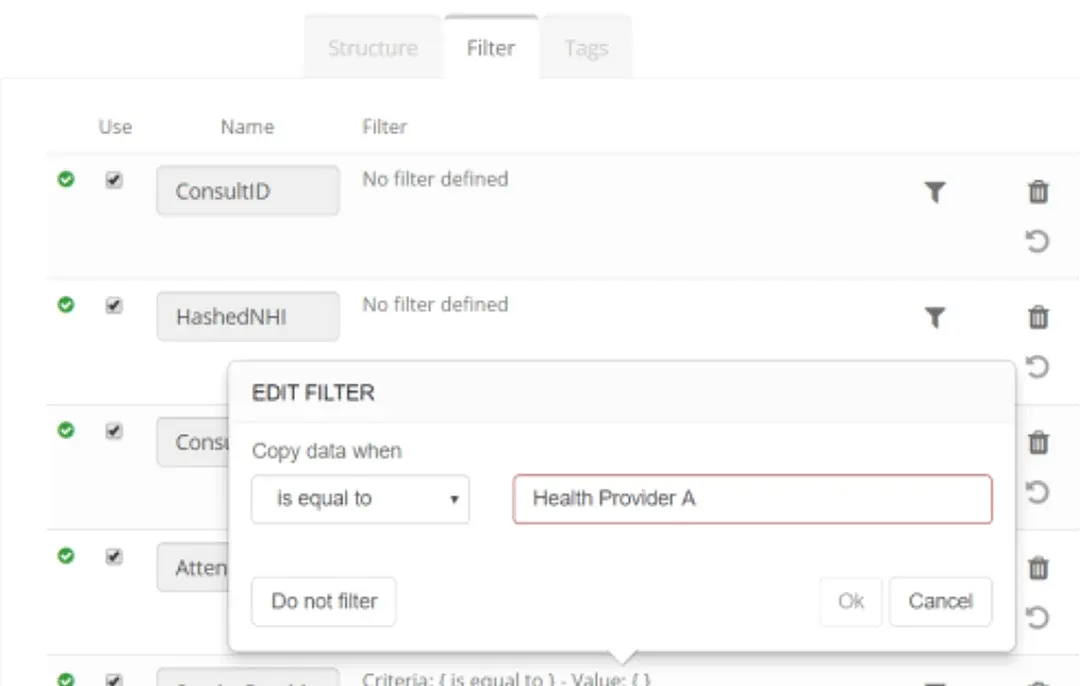
Datastore object Filter tab with the Edit Filter popup: Copy data when is equal to Health Provider A, with Ok and Do not filter buttons

Decorative horizontal divider line (1600x19 px); no UI content

Datastore options: Column level filters

To restrict a column from being used in a process, simply untick the ‘Use’ checkbox and Save.
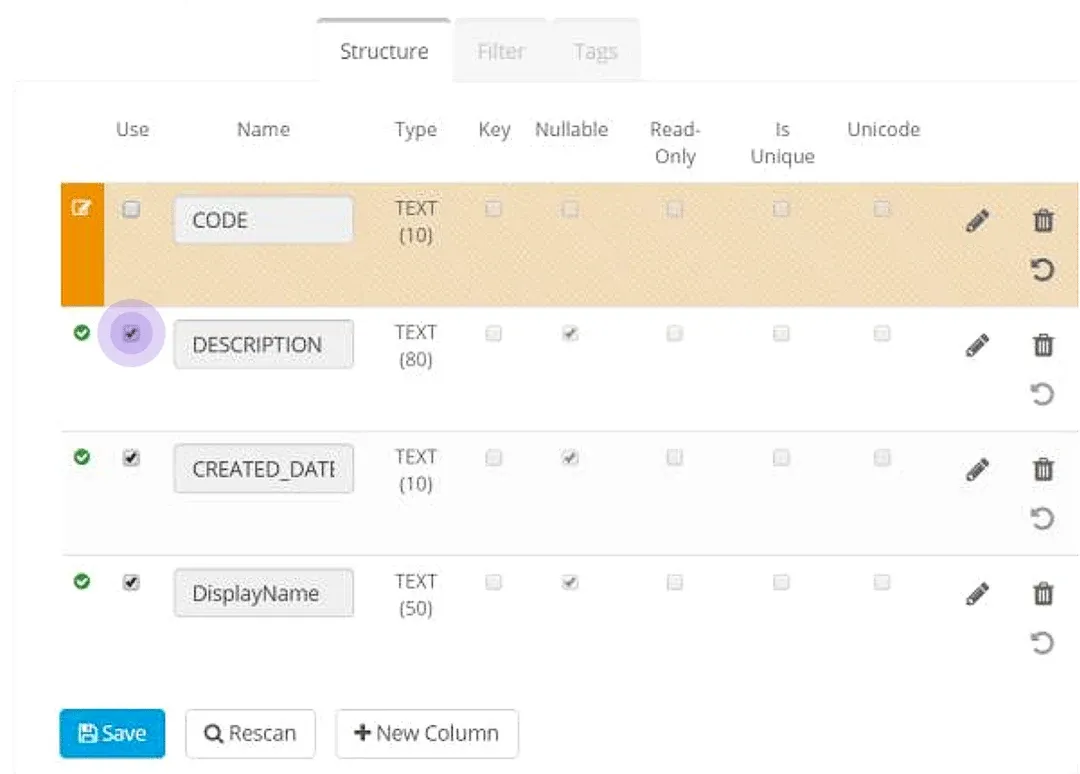
Datastore Structure tab: the Use checkbox column is highlighted, the CODE row is unticked (marked orange), and the Save button is below

The restricted column appears unavailable (marked Do Not Use) and cannot be mapped to a destination column.
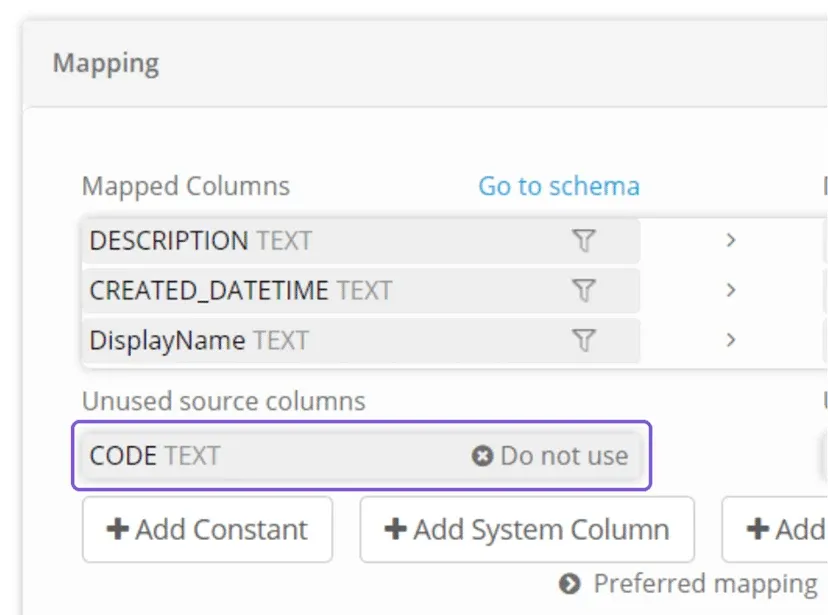
Process Mapping panel with CODE listed under Unused source columns and marked Do not use, below the Mapped Columns list

Unmapped columns will not be written to the destination.

A process can be executed successfully - even when source columns are not mapped to a destination.

Unmapped System Columns showing LastUpdateTime BatchExecuteDate beside Unmapped Destination Columns showing LastUpdateDatTime DATETIME

Datastore Queries

Source Datastores connecting to relational databases have a Query tab available which allow you to create custom views of the data to share.

This is a way to apply column level filtering to the data presented in a Datastore.
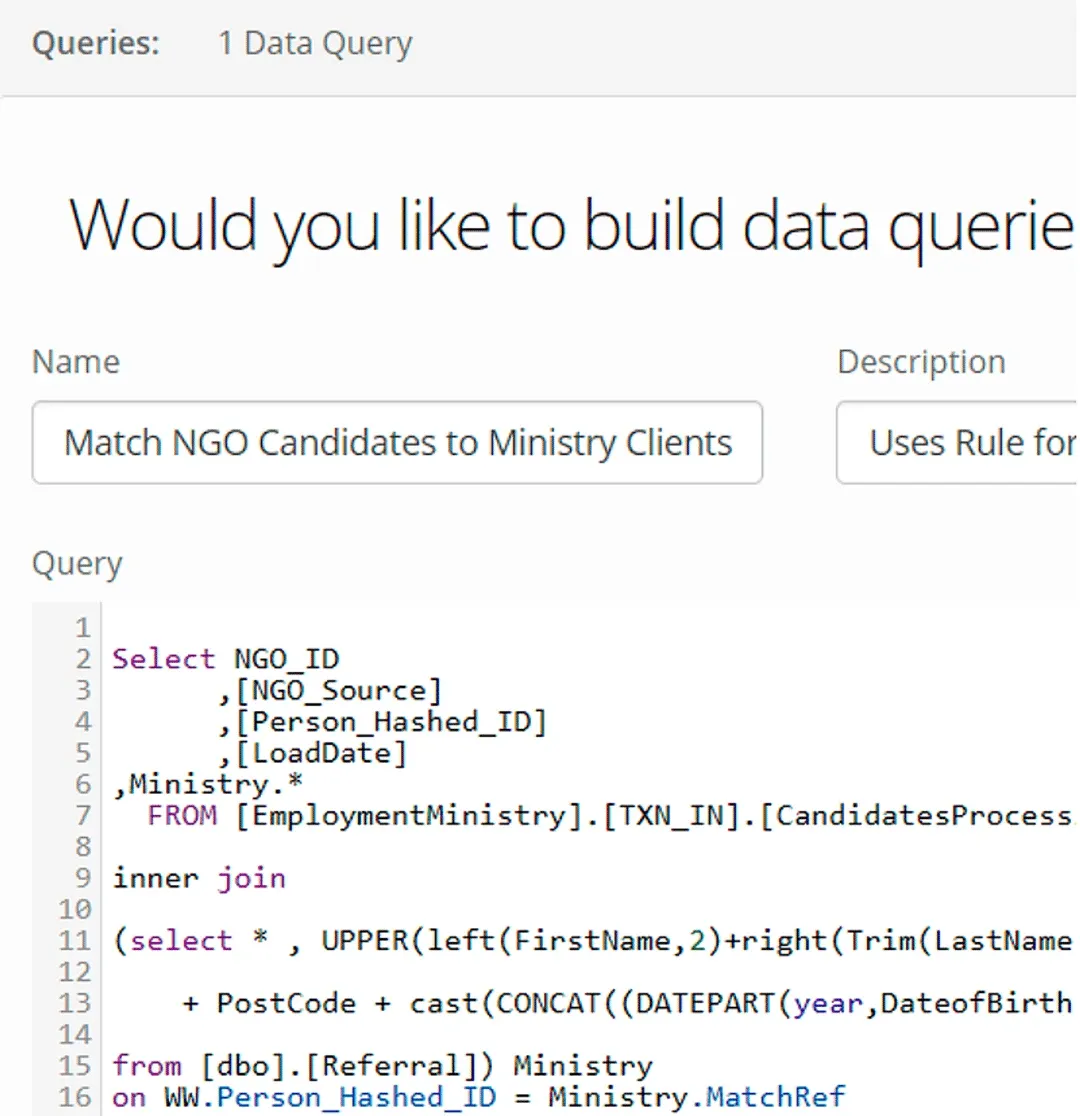
Datastore Queries tab, 1 Data Query: Name field Match NGO Candidates to Ministry Clients above a SQL Query editor with a SELECT

Process filters

Apply a filter within a process to control the rows written to a destination.
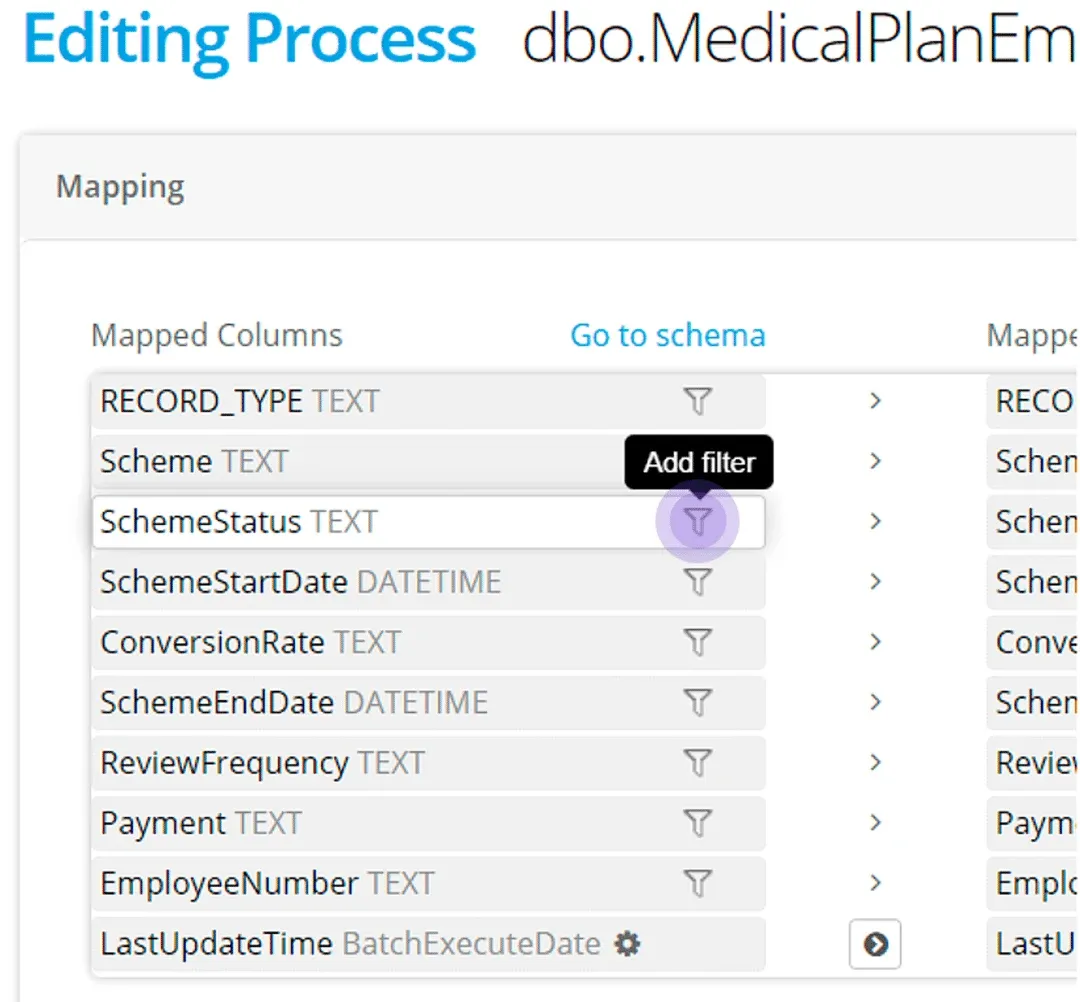
Editing Process Mapping panel: the filter icon on the SchemeStatus TEXT mapped column is highlighted with the Add filter tooltip

A column does not have to be mapped for a filter to be applied to a dataset

Stuck on this step? Email support@eight-wire.com
