
To create a process expression, navigate to a process.
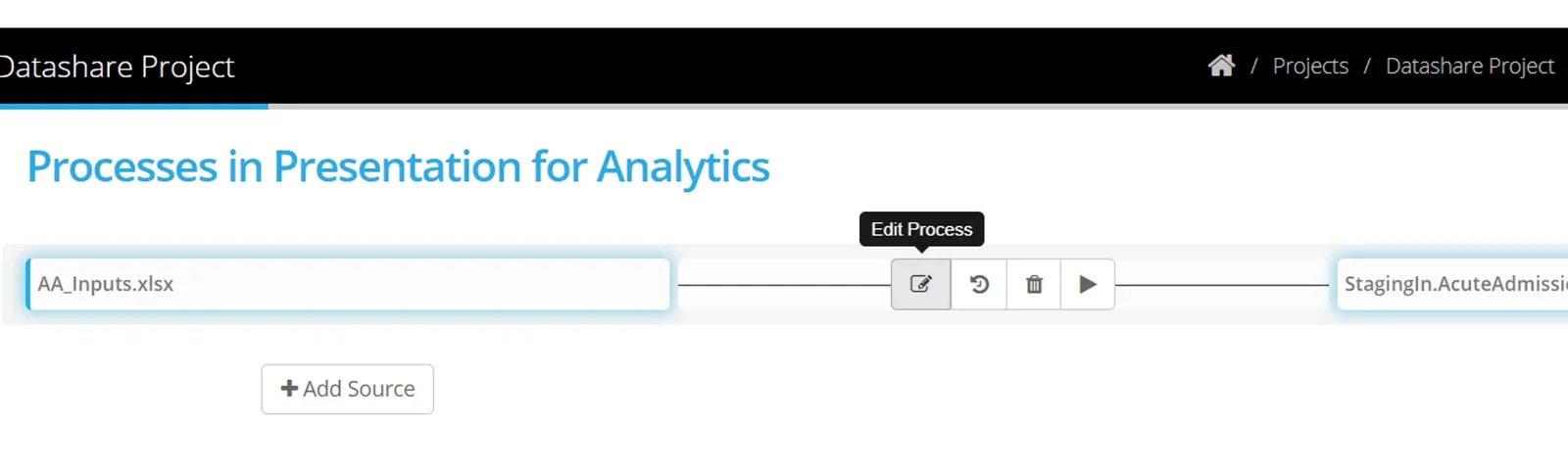
Highlight the process and select Edit Process
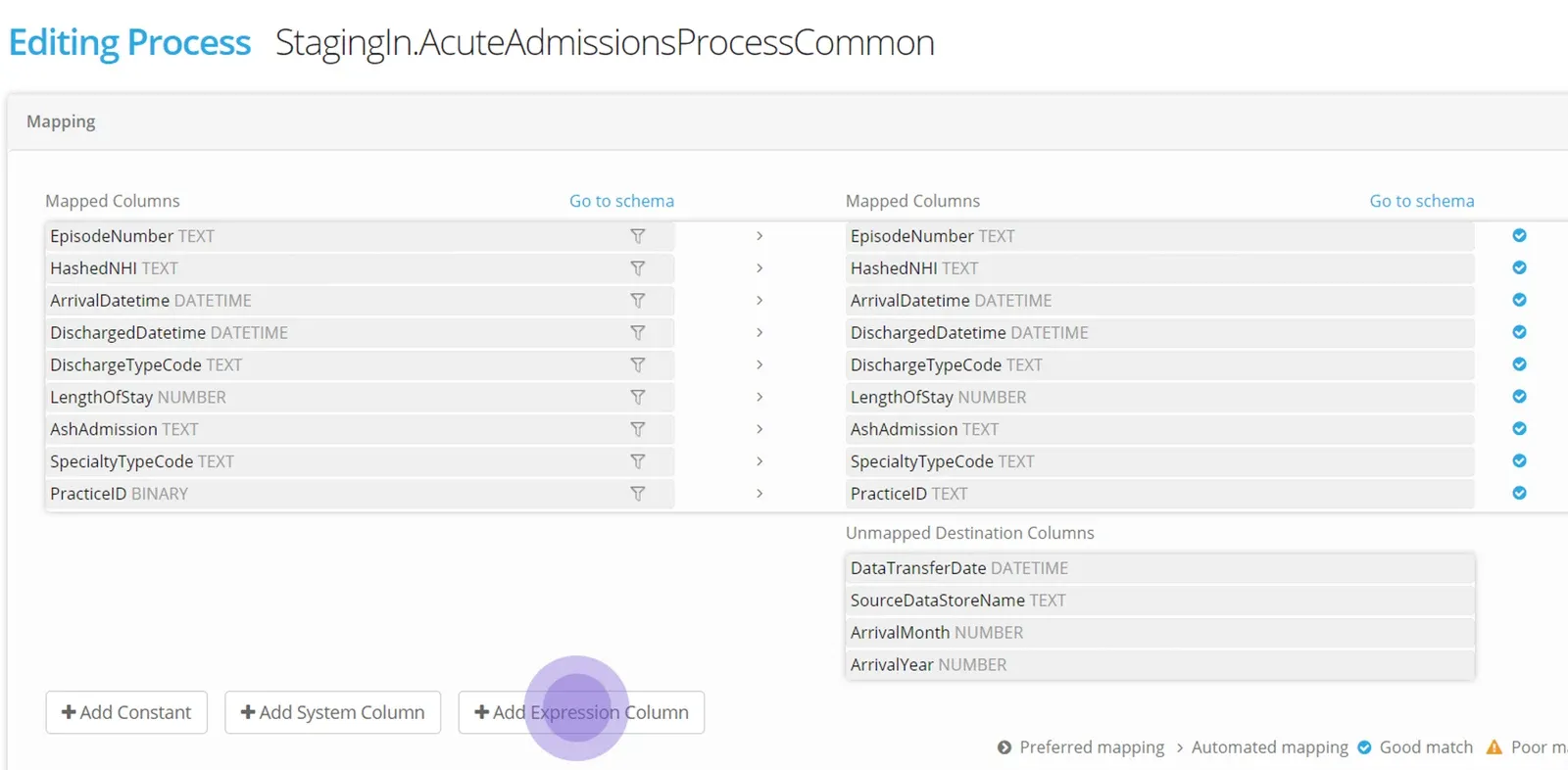
Select +Add Expression Column
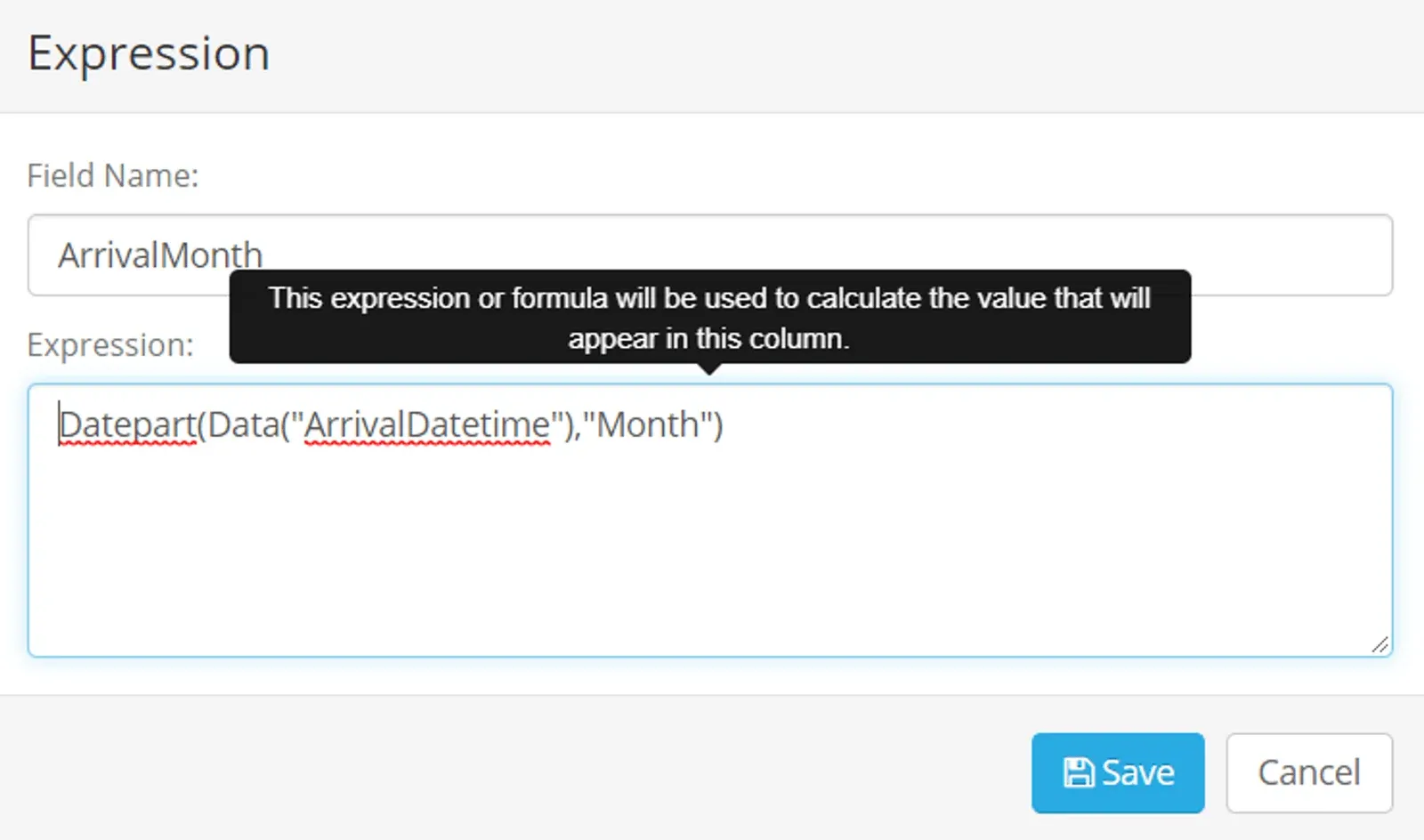
Name the column that will be represented by an expression.
Enter the expression and click Save
The syntax of the expression will be checked.
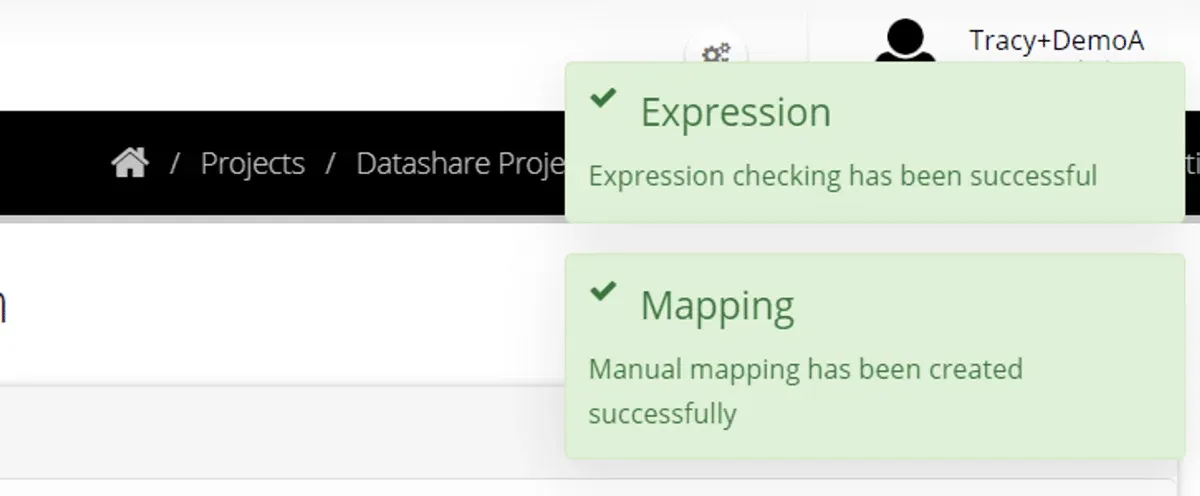
The expression can be manually mapped (click on the expression and then the destination column).
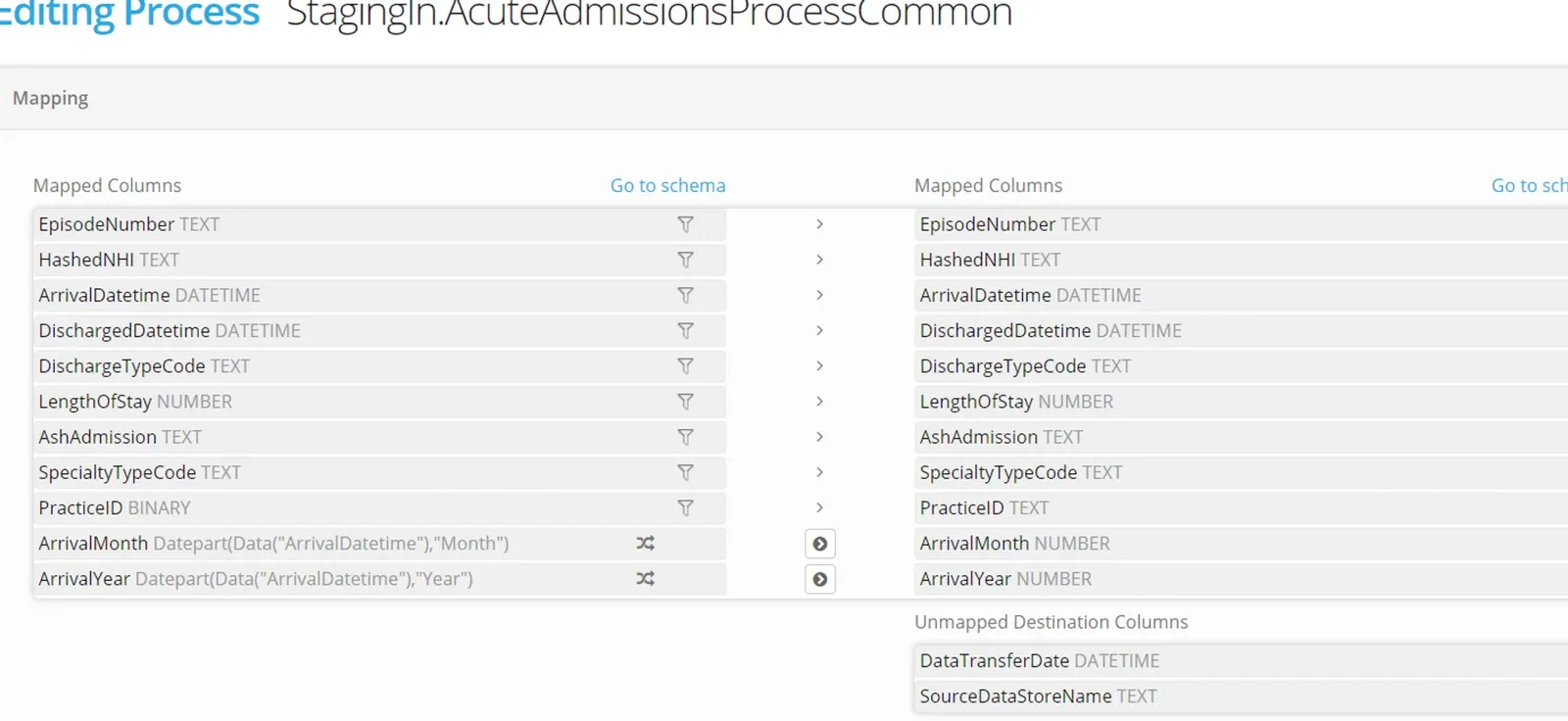
Save the process.
Run the process to check that the expression is successful — for example if your source data contains NULLS or empty strings you may need to handle that in the expression.
A detailed guide to the expression editor syntax can be found in the pages on Process Expressions Syntax.
More options working with processes are in the following pages;
- Work with System Expressions and Constants
- Configure Process tolerances and Options
- Test a Process by manually executing
- Apply a time based schedule to your Process Groups
- Apply an event based schedule to your Process Groups
Stuck on this step? Email support@eight-wire.com