
Salesforce Account Access
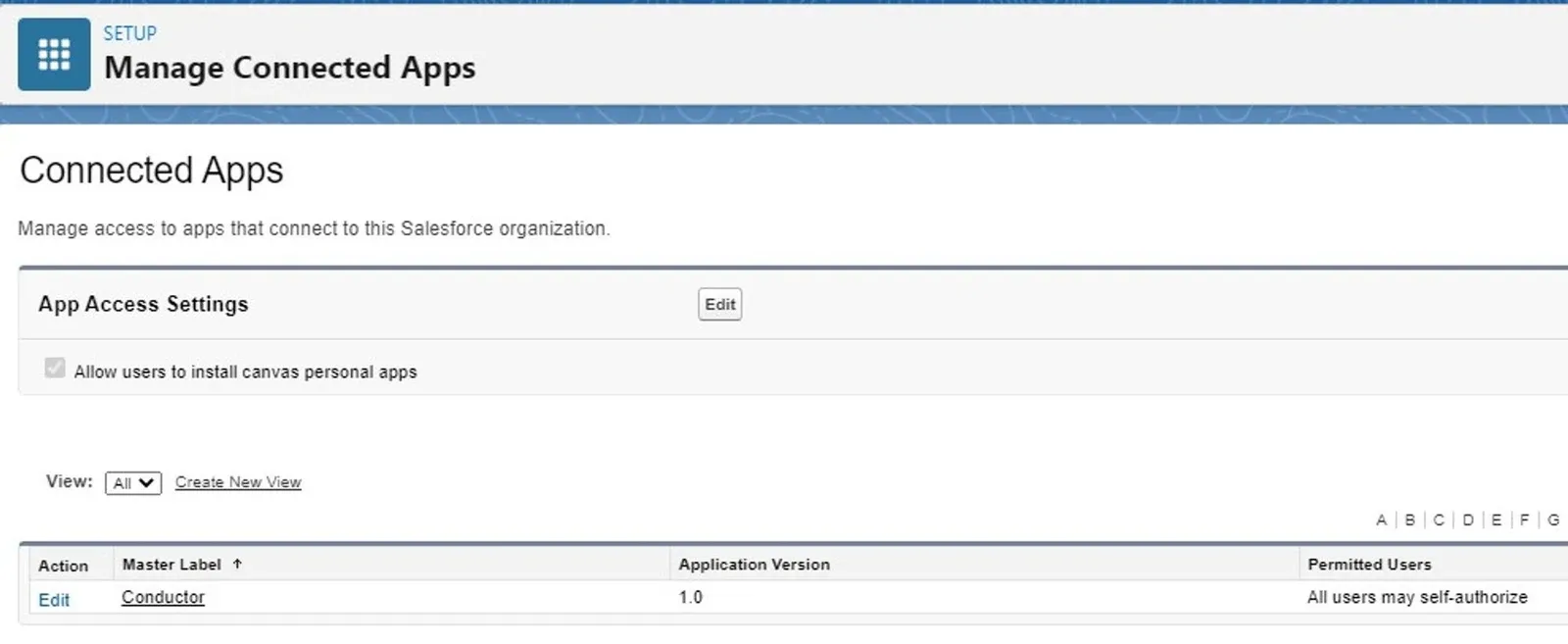
In order to connect Eightwire must be created as a connected app using the Salesforce Platform Tools.
Connected App Name ______________
API Name ______________
Contact Email ___________
Check to ‘Enable OAuthSettings’
Enter Callback URL
https://login.salesforce.com/services/oauth2/callback
Add Full Access to Selected OAuth Scopes
Check ‘Require Secret for Web Server Flow’
Create a Datastore
From the Datastore Page click +New
Name your Datastore and select ‘In the cloud’ and ‘Salesforce’
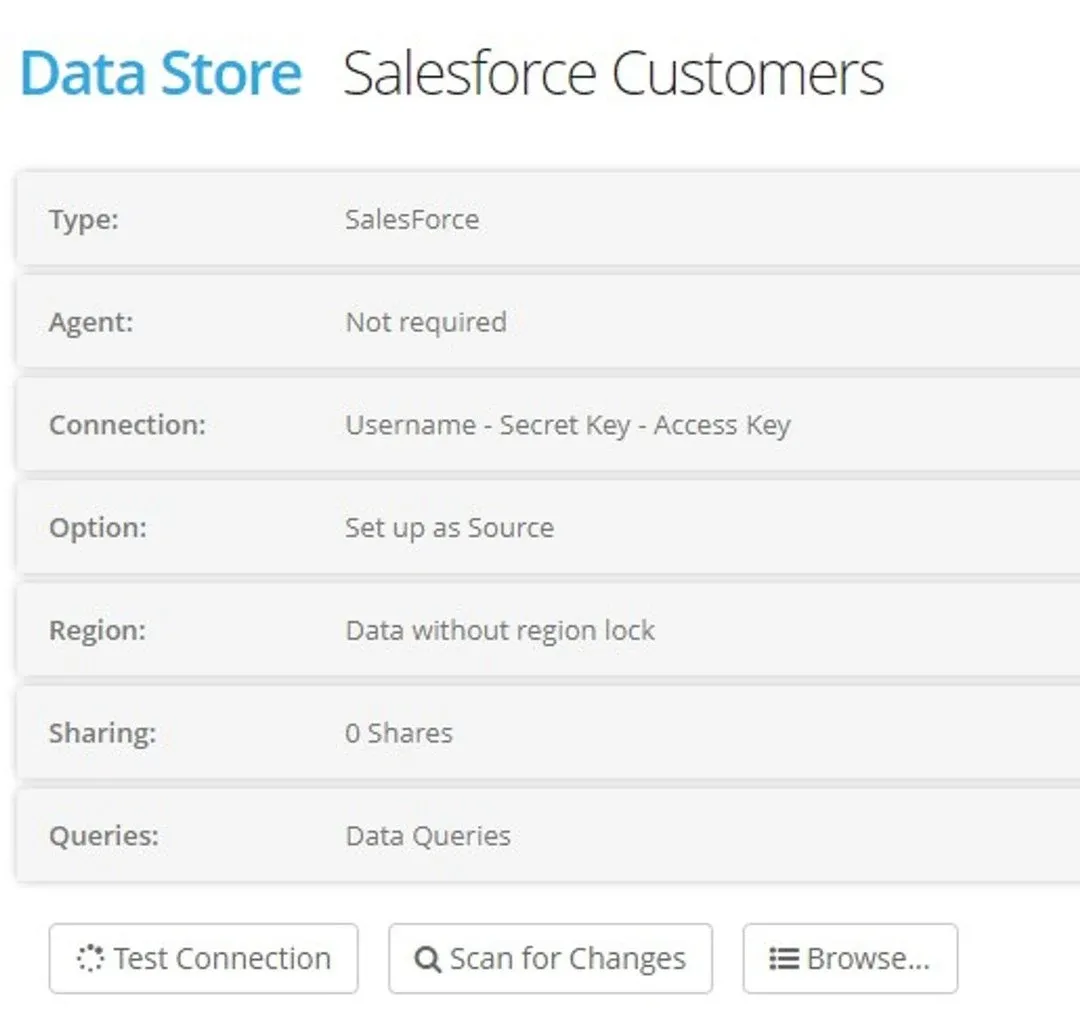
Connection
UserName — User that has access to your Salesforce Account
Password — User Password+SecurityToken
SecretKey — Consumer Secret for the API
AccessKey — Consumer Key for the API
Option — Choose Source or Destination
Region Lock — Select a processing Region (recommended)
Click CREATE
Test and Scan the Datastore
Process Types
The following process types are supported;
Source Datastore
- Read from a Custom Object
- Read from a Standard Object
Destination Datastore
- Overwrite to an Standard or Custom Object
- Append to a Standard or Custom Object
- Merge New and Changed to a Custom Object
Stuck on this step? Email support@eight-wire.com